
As an Amazon Associate, Gizmochina earns from qualifying purchases. Links on this page may earn us a commission at no extra cost to you.
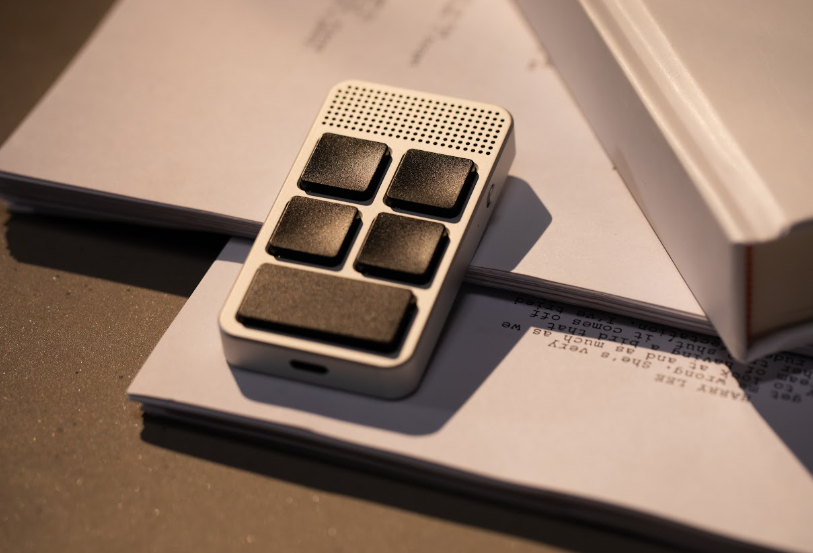
Genspark has introduced SecondBrain VoicePad, a compact AI device designed to make everyday computer tasks easier. It features five customizable keys and dual microphones, allowing users to dictate text, record meetings, open apps and perform multiple tasks with a single press.
Genspark previously introduced SecondBrain Note for recording conversations and capturing information. With VoicePad, the company takes things further by adding five customizable physical keys, voice dictation, app shortcuts and AI-powered automation in a compact desktop device for Windows and Mac computers. Unlike a basic voice recorder, VoicePad can also trigger actions and automate everyday tasks.
Five Customizable Keys for Everyday Tasks
The biggest highlight of SecondBrain VoicePad is its five programmable physical keys. Each key supports single-tap, double-tap and press-and-hold actions, allowing users to assign different functions based on their workflow.
Through the free Genspark Super App, users can configure the keys to open applications such as ChatGPT, Claude, Slack and Notion, activate voice dictation, control meetings or execute keyboard shortcuts. The wide key is assigned to push-to-talk by default, while the remaining four keys can be customized.
VoicePad also features CHERRY MX Ultra Low Profile Tactile mechanical switches measuring just 3.9mm in height, providing a crisp physical response with every press.
Voice Dictation, Meeting Recording and AI Automation
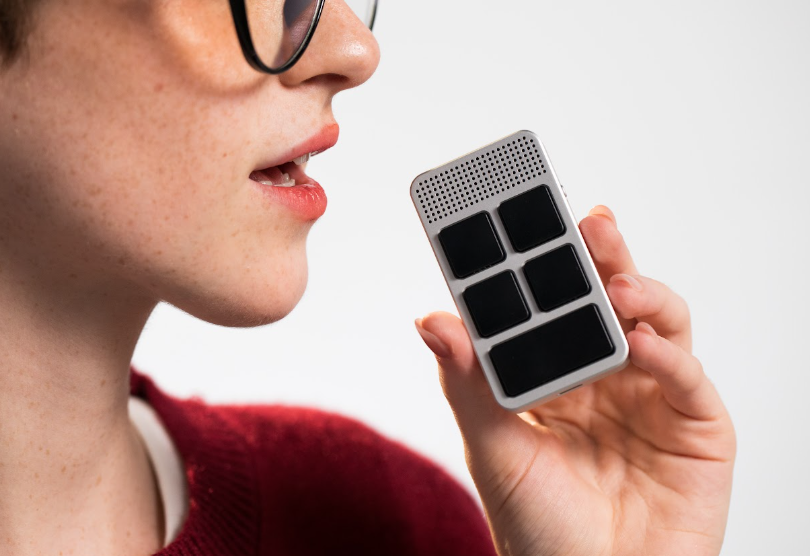
VoicePad uses two microphones positioned close to the user’s mouth to capture speech, including quiet voice input. Users can hold the assigned key and speak naturally, with the device converting their words into clean text directly inside the active application. It also removes filler words, repetitions and false starts.
For meetings, users can double-tap a configured key to start or stop recording. The device can record both physical and online meetings, even independently without a computer connection. It can then generate transcripts, AI summaries, important discussion points and follow-up tasks.
Other voice features include translation from more than 50 languages into English, professional rewriting, terminal command assistance, screen-aware dictation and hands-free voice interaction.
Another interesting feature is Smart Action, which allows users to combine multiple steps into one shortcut. For example, a single key press can open Claude, dictate a prompt and automatically submit it. Users can also create workflows for turning spoken notes into checklists or preparing Slack updates.
Hardware Specifications and Battery Life
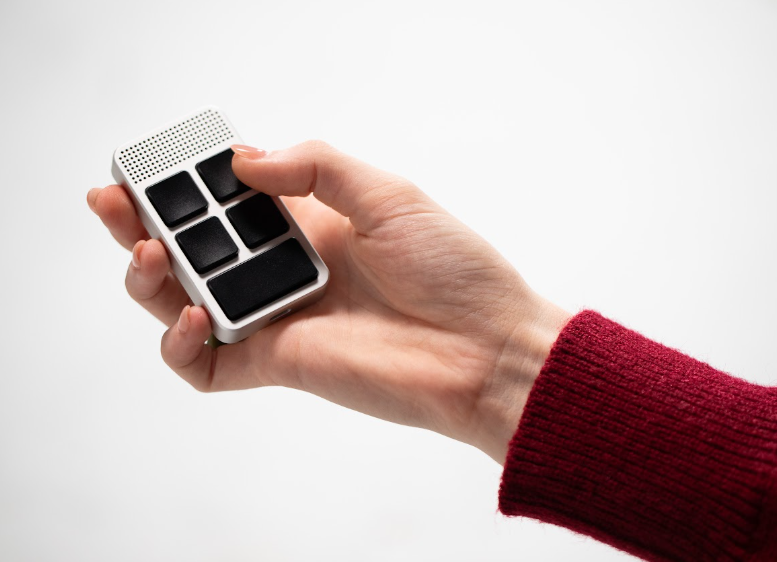
VoicePad features a CNC-machined aluminium body, a built-in speaker and five physical keys. It weighs 85g and offers approximately 20 hours of battery life per charge. Connectivity options include Bluetooth and USB-C, while compatibility extends to macOS and Windows computers.
Included AI Benefits
VoicePad also comes with 1,000 Genspark Super Agent credits for AI-powered tasks, unlimited voice dictation for the first 365 days and 300 minutes of monthly meeting transcription and AI summaries. The monthly transcription allowance remains available for the lifetime of the device.

Price and Availability
Genspark has set the retail price of SecondBrain VoicePad at $169. The device is now available through Kickstarter, with early-bird prices ranging from $119 to $149. VIP customers can also access a special $99 purchase offer through Genspark’s reservation programme, which includes free shipping.
FREE DAILY NEWSLETTER
Joel Explains
What matters in phones and gadgets, before it reaches you. From Gizmochina’s editor-in-chief, every morning.
Join 1,500+ readers. One email a day, unsubscribe in one click.

Comments